Hours Back Form HB-07 · 45 PROMPTS / 51 PAGES
$10 · one-time Get the eBook
Subject: The Office eBook · 2026 EditionFront-end · Form HB-07

Everyone says AI saves hours. Nobody shows you the prompts.

Forty-five prompts written out in full for the work that actually eats your week — email, reports, meeting notes, spreadsheet formulas, slides and research — with what each one is for, what to paste, and what to check before anything leaves your desk.

$10 once. No subscription.eBook (PDF) · instant 60-day money back
Time card · HB-07Front-end
Clock in
09:02
Clock out
09:26
44 minthe difficult email, start to sent
Hours
back
Checked and signed by__________________
01Schedule A HB-07

Where the week actually goes

Same work, same standard, same person signing it off. What changed is that the shape of the task was written down once instead of improvised every morning.

Schedule A — the same work, timed twice
Task on your deskBeforeAfter Back
The difficult email18 min3 min+15 min
Meeting written up25 min6 min+19 min
Report first draft90 min34 min+56 min
Inbox triage22 min6 min+16 min
Week total155 min49 min1h 46 back

Timed on the tasks in this eBook. Your week will differ — the point is that it is written down and checked, not that the number is yours.

02Memorandum Internal
Memorandum
To
Everyone who was told AI would save them hours
From
Hours Back · an independent publication
Date
2026 edition
Re
The gap between the promise and Tuesday morning

You opened the chat box. Then you closed it again.

You opened the chat box in January. You typed something vague, got something vague back, and closed it again. Nobody was ever going to hand you the sentence that works — so this document writes out forty-five of them, in full, for the work already on your desk.

Everyone at work has an account now. Almost nobody has a habit. You type something vague, get back something bland, spend ten minutes fixing it, and quietly decide the whole thing is overrated — which is a prompt problem, not an intelligence problem. The tool answers exactly the question you asked, and the question was usually the weak part.

Filed under Front-endPage 1 of 1

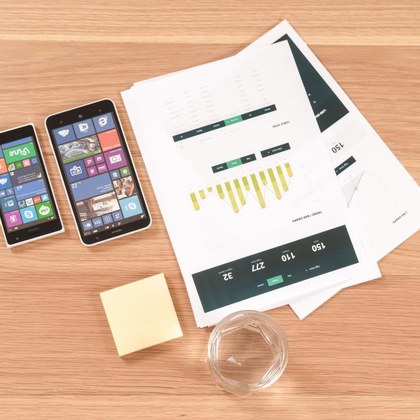
A tidy desk with a laptop and notebook
Exhibit AIllustrative photograph

You were told AI would save you hours. Nobody said which buttons to press.

03Specimen Reproduced in full

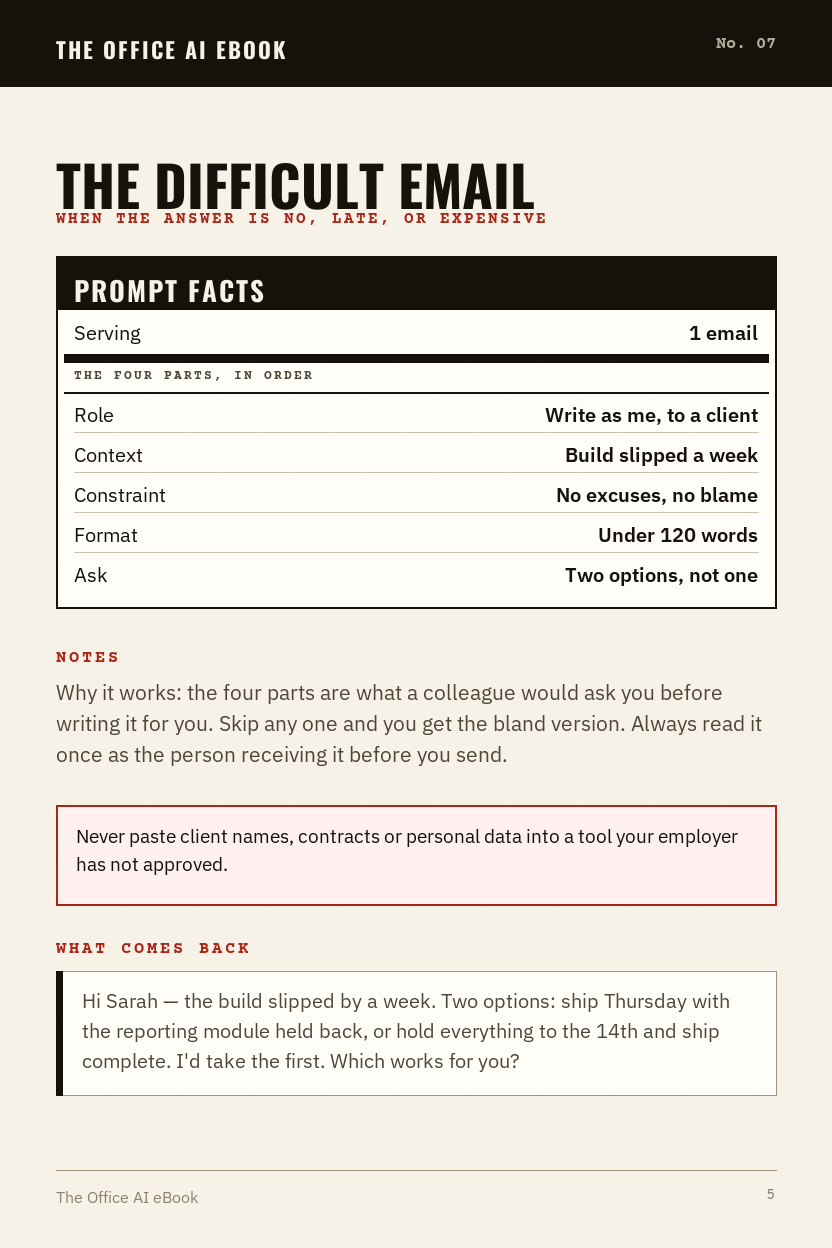
One page of it, before you pay

This is a whole page of the eBook, not a summary of one. Read it, use it this afternoon, and decide afterwards whether the other pages are worth ten dollars.

Free sample · No. 07
Prompt facts
Serving1 email
The four parts, in order
RoleWrite as me, to a client
ContextBuild slipped a week
ConstraintNo excuses, no blame
FormatUnder 120 words
AskTwo options, not one

The difficult email

When the answer is no, late, or expensive

Paste the five lines on the left, in that order, into whichever assistant your employer already allows. Nothing is installed and nothing is connected to your accounts.

What comes back
Hi Sarah — the build slipped by a week. Two options: ship Thursday with the reporting module held back, or hold everything to the 14th and ship complete. I'd take the first. Which works for you?

Output varies between runs — you read it before it goes.

That was one of 45. The rest are written out the same way, filed by the task they belong to.

Send me the 45 prompts — $10
04Routing The same way, every time

It stops being a trick and starts being a routine

The repeatable half of your week runs the same way every time — and the step that keeps you employed sits inside the line, not bolted on the end. You still read it. You still send it.

Step 01
Taskthe hard email
Step 02
PromptNo. 07
Step 03
Draft90 sec
Step 04
You check60 sec
Step 05
Sentsigned
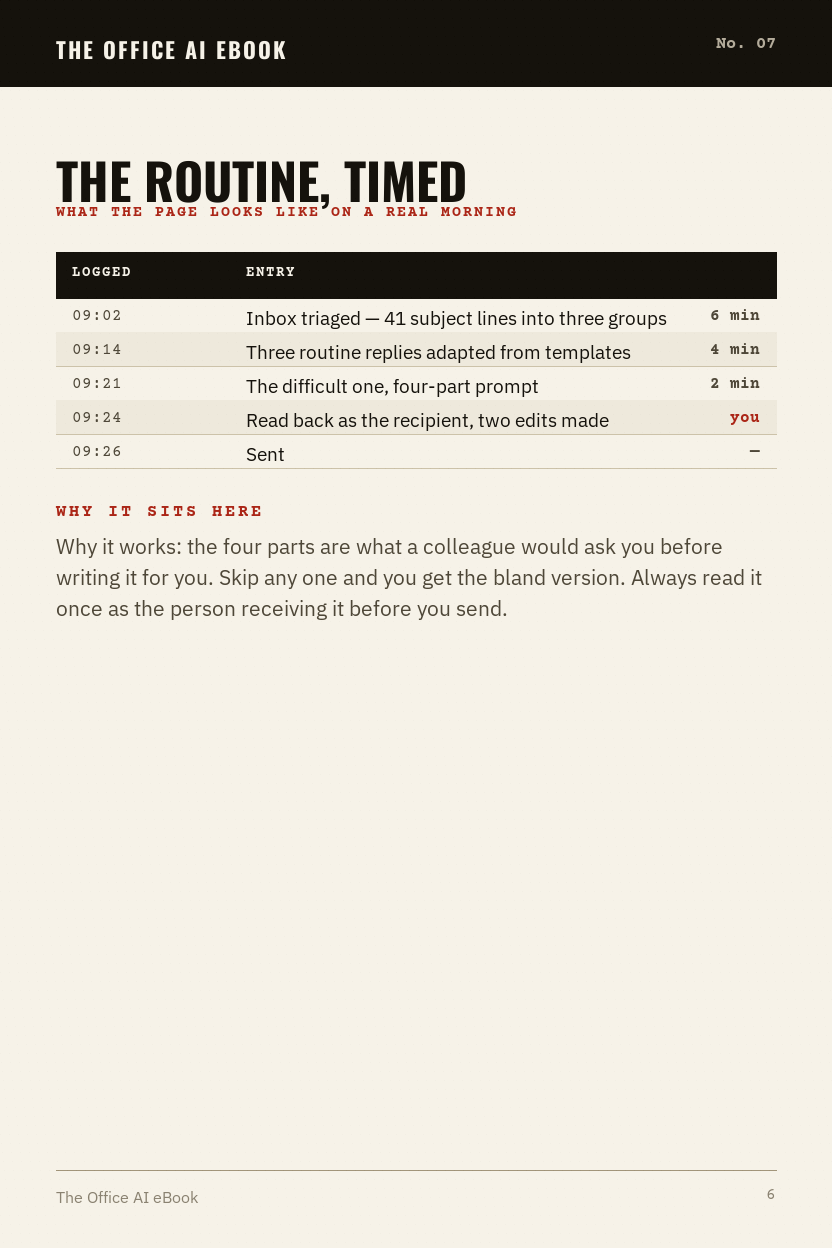
LoggedEntryMin
09:02Inbox triaged — 41 subject lines into three groups6 min
09:14Three routine replies adapted from templates4 min
09:21The difficult one, four-part prompt2 min
09:24Read back as the recipient, two edits madeyou
09:26Sent
Nothing sent automaticallyTotal 12 min

Read the log, not the promise

Every line above is a task you already do. Nothing on this page sends anything on your behalf, schedules anything or touches an account — the assistant writes a draft, and the draft waits for you.

That is also the honest limit of it. AI output varies between runs, and a routine is only worth having because it survives the mornings when you are not paying full attention.

You sign every line
05Photo index Six task areas

The work that eats your week

Email, reports, meetings, spreadsheets, slides and the reading nobody budgets for. Every prompt in the eBook is filed under one of them.

Email tasks — illustrative photograph
EmailFile 01
Reports tasks — illustrative photograph
ReportsFile 02
Meetings tasks — illustrative photograph
MeetingsFile 03
Spreadsheets tasks — illustrative photograph
SpreadsheetsFile 04
Slides tasks — illustrative photograph
SlidesFile 05
Research tasks — illustrative photograph
ResearchFile 06
06Delivery What arrives

What lands in your inbox

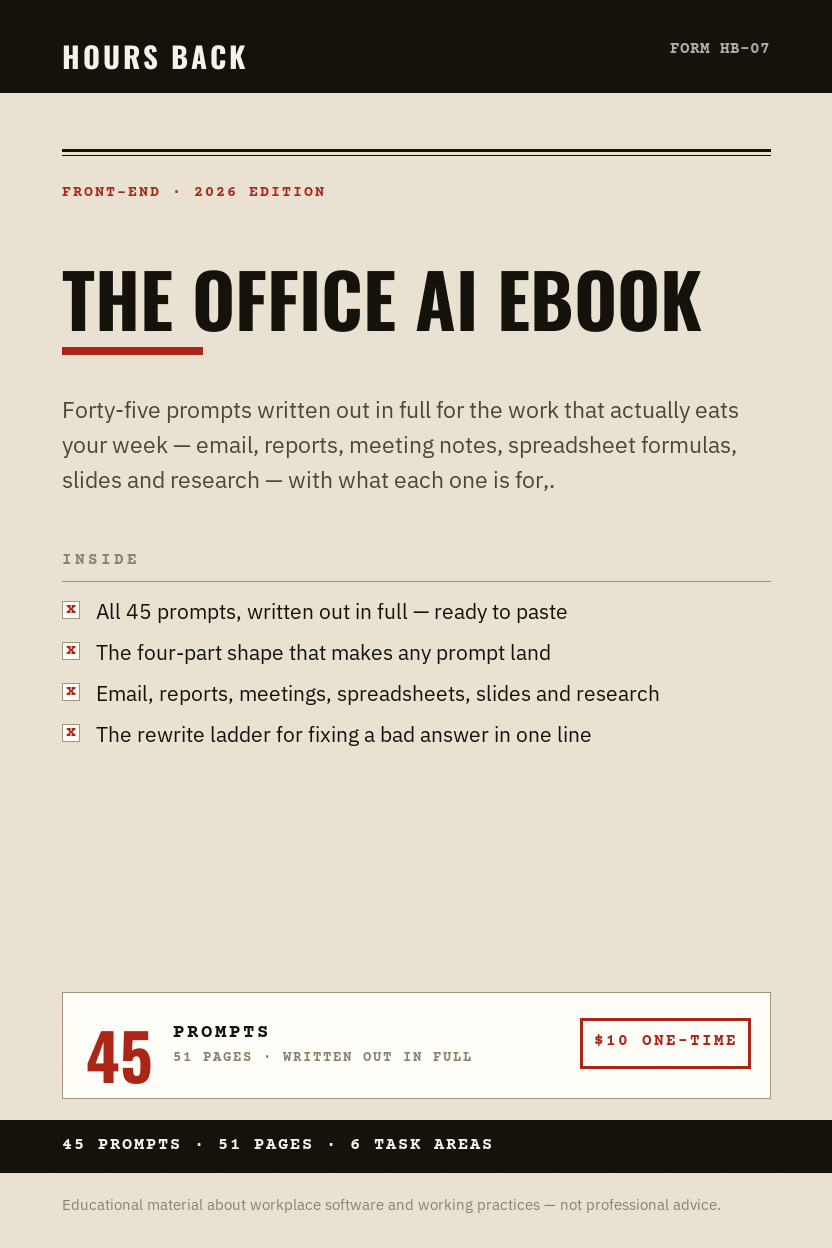
The Office AI eBook — eBook cover
The cover
A sample page from the eBook
Inside · a prompt
A second sample page from the eBook
Inside · the routine

One PDF — a 51-page eBook — readable on a phone, a laptop or printed. No app, no login, no subscription attached to it.

  1. You pay $10, onceHandled by Digistore24, which acts as reseller and merchant of record.
  2. The email arrives in a couple of minutesWith your download link. If it is not there, it is in the promotions folder.
  3. You use one page tomorrow morningThe eBook says which page to start on, so the first use is decided for you.
Send me the 45 prompts — $10
07Contents eBook · PDF

The other forty-four are laid out exactly like this

  1. The four-part shape — role, context, constraint, format — and why the order matters. p. 3
  2. The meeting-notes prompt — the one people copy to a colleague within a week. p. 12
  3. Spreadsheet formulas in plain English — describe it, get the formula, understand what it does. p. 16
  4. The rewrite ladder — how to fix a bad answer in one line instead of starting over. p. 22
  5. What to never paste — the short list that keeps you out of trouble at work. p. 47
  6. The check before you send — the sixty seconds that separates useful from embarrassing. p. 47
51-page eBook
6 chapters, illustrated
45 prompts
Written out in full
Instant
Emailed the second you buy
Any device
Phone, tablet, or print it

Every chapter ends with what to check

The output is a draft and you are the one signing it. Nothing here suggests otherwise, and the chapter on what never to paste into a chatbot at work is the one to read first. Your employer's policy decides which tools you may use and what you may put into them.

08Terms of return

Read it. If it does not earn its place in your week, take the ten dollars back.

Sixty days, no questions asked and no form to fill in — one email to accesssupport.ai@gmail.com is enough. You keep the file either way; there is nothing to return and nothing to cancel.

60Day
money back

What this is

  • Forty-five prompts, written out in full
  • The four-part shape behind them
  • What to check before anything is sent

What it is not

  • A tool or a subscription
  • A course with videos to sit through
  • Anything that sends email on your behalf
09Order form

Ten dollars for the prompts,
instead of another year of guessing.

Compare against: One hour of your time, once a week, for a year

P.S. — You already pay for the tool, or your employer does. This is ten dollars for knowing what to type into it.
One-time charge
Order formNo. HB-07 · Front-end
The Office AI eBook — eBook (PDF)$10.00
Delivery — emailed on purchaseincluded
Subscriptionnone
Money-back window60 days
Total due$10

Instant digital download — an eBook in PDF form. One-time payment of $10, billed securely by Digistore24, which acts as reseller and merchant of record. Photographs are for illustration only. Nothing physical is shipped and no subscription is included. 60-day money back.

10Queries Answered in order

Questions people actually ask

Do I need to be technical?

No. There is no code anywhere in this eBook. If you can copy and paste, you can use every page of it.

Which AI tool is this for?

All of the common ones. The prompts are plain English and work in whichever chat tool you or your employer already use. The Tool Decoder covers choosing between them.

Will the answers always be right?

No — and any book that tells you otherwise is lying. Every chapter ends with what to check, because the output is a draft and you are the one signing it.

Is it safe to use AI for work documents?

That depends entirely on your employer's policy and what is in the document. There is a full chapter on what never to paste, and it is the chapter to read first.

Will this be out of date next year?

The tools change; the four-part shape does not. It is dated as the 2026 Edition and says plainly where things are moving.

What if it isn't for me?

Email within 60 days and get a full refund. No questions asked.

The Office AI eBook · Form HB-07 · $10 one-time · eBook (PDF)
Get it now